

Each plan has its own server limit. See Server limits.
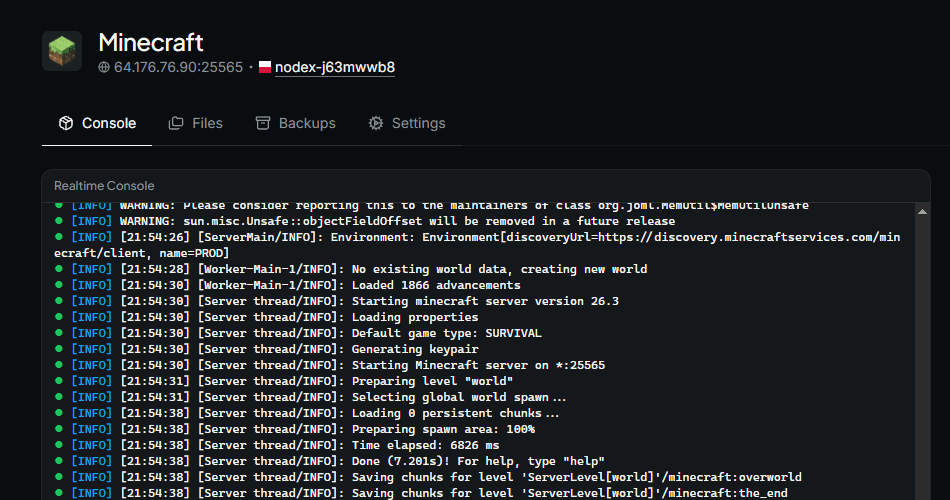
Overview
A server is a persistent, dedicated game instance that players from anywhere in the world can join over the internet to play together. Each server runs on a single node, and shares the node’s resources with the other servers on it. For example, a Minecraft server for a group of friends stays online for as long as it is running. Players join it with the node’s IP address and the server’s port. Once a server is created, you may manage it from its own pages: the overview for power controls and status, the file browser, backups, startup settings, and network settings.Create servers
You need at least one connected node before you can create a server. To create a new server:- Open the overview page of your node
- Click the + Create Server button
Server limits
The number of servers you can create depends on your subscription:
When you reach your limit, the server creation page asks you to upgrade your plan instead of showing the form. Deleting a server frees a slot immediately.
Configure the server
On the server creation page:- Choose the node to run the server on
- Choose a game, then choose a template if the game offers more than one
- Give your server a title, or keep the game’s default
- Assign the ports the server listens on
- Adjust the startup variables to your liking
- Click Submit
You may change a server’s ports later. See Network.
Server states
Every server is in one of the following states, which you can see on its overview page:
While a server is busy with an activity, the overview page shows the activity in place of its state. See Server activities.
Server activities
An activity is a task Nodex performs on a server. While an activity is in progress, the overview page shows the activity instead of the server’s state.Installing
Nodex installs the game’s files on your node when you create a server, and hen you reinstall it. The server starts automatically once installation finishes.Restarting
Nodex stops the server and starts it again when you click Restart on the server’s overview page.Restoring
Nodex replaces the server’s files with the contents of a backup when you restore one. Restoring overwrites the server’s existing files, and files missing from the backup are permanently lost.Reinstall a server
You may reinstall a server to run its installation process again. Nodex installs on top of your existing files, and some files may be corrupted as a result. Create a backup before reinstalling. To reinstall a server:- Open your server’s Settings tab
- Scroll down to the Danger zone section
- In the Reinstall the server section, click Reinstall
- Confirm the dialog
Delete an existing server
If you no longer need a server, you may delete it. After deletion, you can no longer manage the server from the dashboard. To delete a server:- Open your server’s Settings tab
- Scroll down to the Danger zone section
- In the Delete the server section, click the Delete button
- Choose what to do with the server’s data
- Type the server’s title to confirm, then click Delete