

Overview
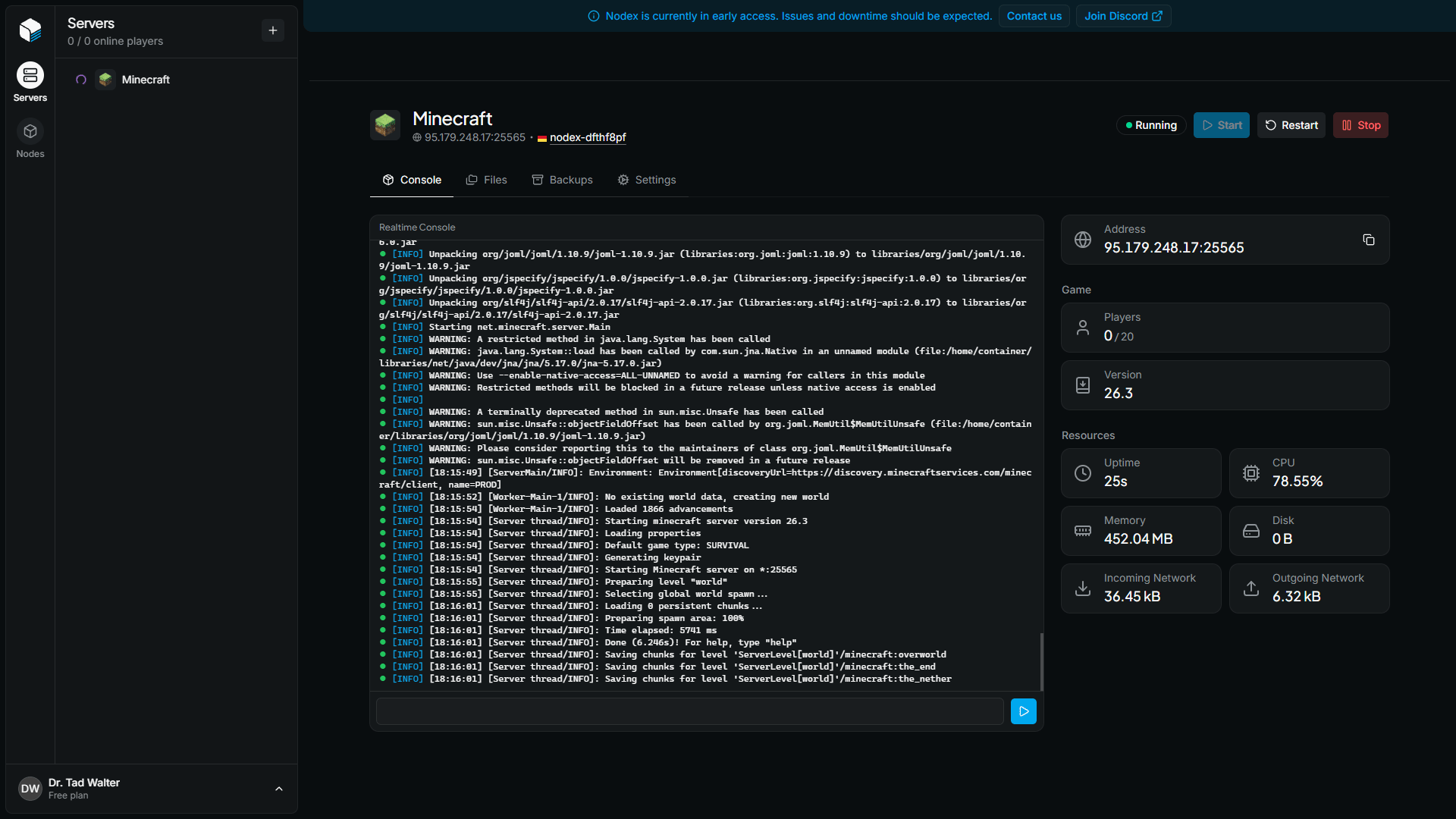
The server overview page is the home of a server. It contains the server’s console, its power controls, and live information about the game and its resource usage. To open it, click a server in the server list of its node. The page is the Console tab of the server.Server header
The header at the top of the page identifies the server. It displays:- The server’s title
- The address players use to join, made of the node’s IP and the server’s primary port
- The node the server runs on. Click it to open the node overview.
Power controls
The buttons on the right side of the header control the server’s process:
All power controls are disabled while the server has an activity in progress.
Console
The console shows the output of the server, and updates live while the page is open. To run a command, type it in the input field at the bottom of the console and press Enter, or click the execute button.Server information
The panel on the right shows information about the server.Address
The address players use to join the server.Game
The Game section shows what is happening inside the game:
Nodex shows only the values that the game reports.