

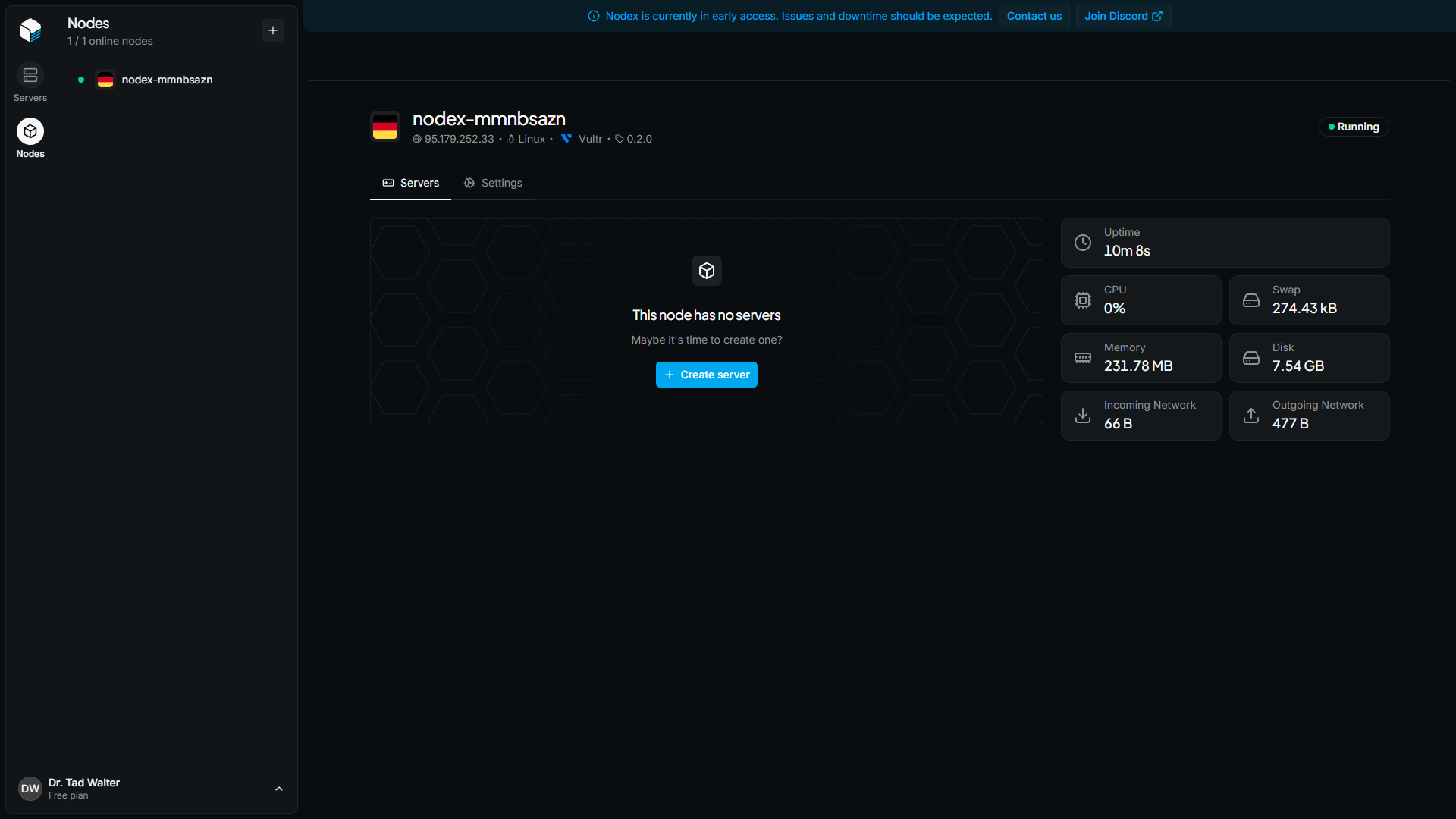
Overview
The node overview page is the home of a node. It shows whether the node is online, lists the servers running on it, and displays live resource usage. To open it, click a node in the Nodes tab of the Nodex dashboard.Node header
The header at the top of the page identifies the node and shows its current state. From left to right, it displays:- The node’s name
- The node’s IP address
- The operating system of the node
- The cloud provider the node was created with, or Custom VPS if you connected your own server
- The version of the Nodex agent running on the node
Servers
The Servers section lists every server running on the node. For each server, the table shows:
Values that Nodex cannot read, such as the resource usage of a stopped server, show N/A.
To add another server to the node, click the + Create Server button at the top of the section. The node is preselected on the server creation page.
Resource usage
The panel on the right shows how much of the node’s resources are in use. The values update live while the page is open.If the node is offline, its metrics cannot be updated. Check that the machine is running, then reload the page.